Your account and inviting friends
Settings holds your account, your plan and credits, your usage and your invite link. Open it from the account menu at the top right of your dashboard.
Open your settings
Click your picture or initial at the top right of the dashboard and choose Settings. Plan and credits in the same menu opens Settings at your plan. Settings has these parts, from top to bottom: Account, Plan and credits, Usage, Buy credits, Invite friends and Delete account.
Name, sign-in and password
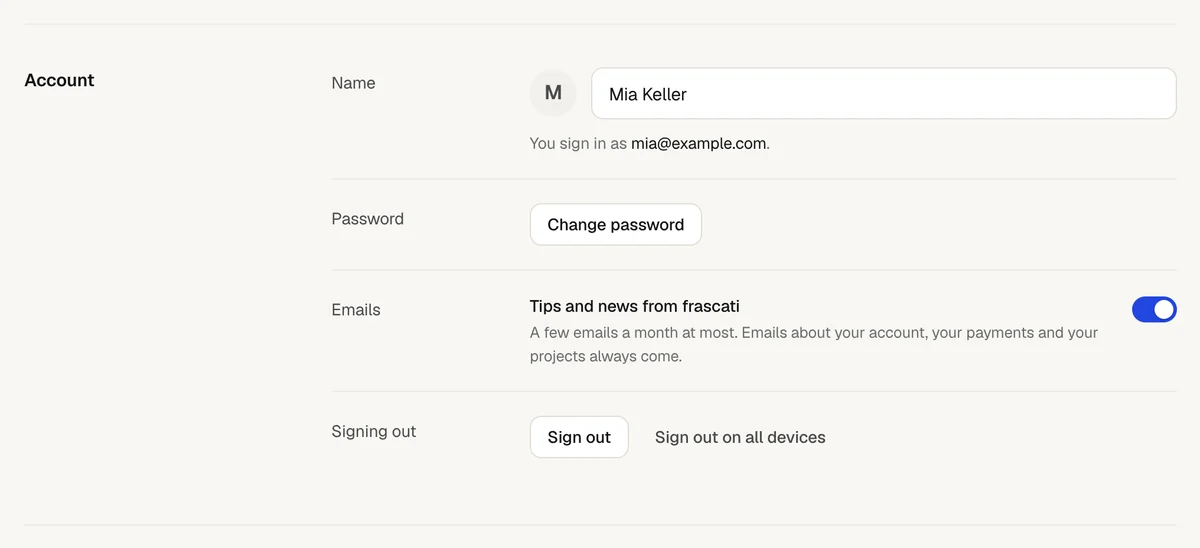
- Name
- Your name, as the dashboard greets you and the account menu shows it. Change it and click Save.
- Sign-in
- The email address you sign in with, and whether you also sign in with Google or GitHub. The address cannot be changed in Settings: write to us if it has to.
- Password
- Change password asks for your current password and a new one of at least 6 characters. Your other devices are signed out. Accounts that sign in only with Google or GitHub have no password here.
Forgot your password? On the sign-in page, click Forgot password? and enter your email address. frascati sends you a link to set a new password, valid for one hour. A new password signs you out on every other device.
Emails from frascati
Tips and news from frascati switches our product emails on or off, a few a month at most. Each of them also has a link to unsubscribe. Emails about your account, your payments and your projects always come, like a password reset or a message from your website's form.
Signing out
Sign out ends your session in this browser. Sign out on all devices asks first and then signs you out on every computer and phone, this browser too. Other devices are signed out within a minute.
Plan, usage and credit packs
- Plan and credits
- Your plan, your credits left and your projects, with Change plan, Billing and invoices and Cancel plan, and during the trial Start plan now. See Plans and credits.
- Usage
- Your changes and questions to the AI day by day for the last 12 months, with the credits they used, your active days and your longest streak. Show as table lists the days, and Credits by project shows what each project used in the last 30 days.
- Buy credits
- Credit packs, once your plan has started after the trial. Their credits stay until you use them.
- Connected accounts
- Only when you publish phone apps in the App Store with frascati: the App Store Connect key frascati uses for it. See Publish your app in the App Store.
Invite friends
Under Invite friends you find your own invite link and code. When a friend joins with your link and pays for their first plan, you both get 5 credits.
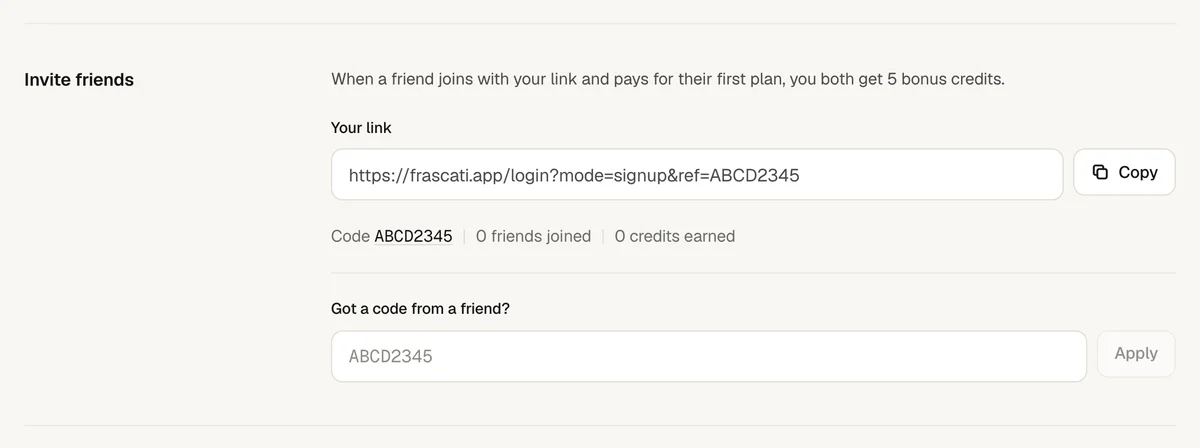
Copy your link with Copy and send it to a friend.
Your friend creates an account with the link. Someone who signed up without it can enter your code in their Settings, under Got a code from a friend?
When your friend's first payment for a plan goes through, the credits are added to both accounts. The free trial costs nothing, so it does not count.
Settings counts the friends whose first payment went through, and the credits you earned. The credits stay until you use them, like credits from a pack. A code works once per account, and never on your own.
Delete your account
At the bottom of Settings, type DELETE and click Delete account. Your account, all your projects and all their versions are deleted, published websites go offline, and an active plan is cancelled. This cannot be undone.
To keep a copy, download the source code of your projects first, see Download the code, and download your Cloud tables and bookings with CSV in the Cloud tab.
Something missing or unclear? Write to us.