Connect Zapier, Make or n8n
Every new form message, table entry, booking and paid order can go to one web address of your choice. With Zapier, Make or n8n, it goes on from there to Google Sheets, your CRM, your newsletter or thousands of other apps. Included in every plan.
Set it up
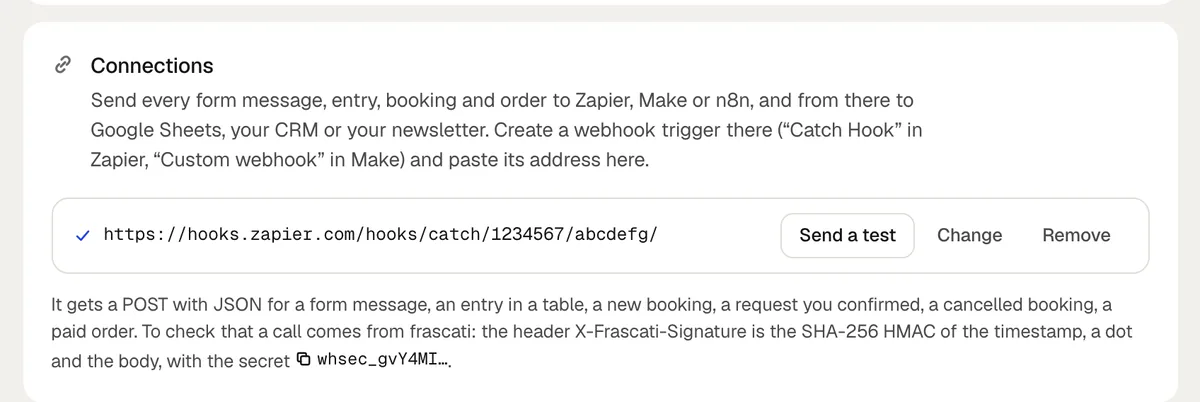
In Zapier, start a Zap with Webhooks by Zapier and Catch Hook. In Make, add a Custom webhook. In n8n, add a Webhook node for POST. Copy the address it shows.
In frascati, open Cloud in the editor, paste the address under Connections and click Save.
Click Send a test. frascati says whether the address answered.
Send a form on your published website, or make a test booking in the preview, so Zapier, Make or n8n see real fields to work with.
The address has to start with https:// and be reachable from the internet. Change and Remove are next to it.
What is sent
- message.created
- A form message.
- entry.created
- An entry in a table.
- booking.created
- A new booking or request.
- booking.confirmed
- A request you confirmed.
- booking.cancelled
- A cancelled booking, with who cancelled it: guest or owner.
- order.paid
- A paid order.
Each one is a POST with JSON: event, site (your website's name), projectId, sentAt and data, the message, entry, booking or order itself. A booking has its date, time, service, people, name, email, phone, note and status, and test is true when it was made in the preview.
If the address does not answer within 8 seconds or answers with a server error, frascati tries once more a few seconds later. It does not follow redirects.
Check that a call comes from frascati
For developers: every call carries the headers X-Frascati-Event, X-Frascati-Timestamp and X-Frascati-Signature. The signature is sha256= followed by the SHA-256 HMAC, in hex, of the timestamp, a dot and the raw body, with your website's secret as the key. The secret starts with whsec_; copy it under Connections once an address is saved.
Something missing or unclear? Write to us.