Import your existing website
Already have a website? Paste its address, and frascati reads the text of its pages and builds a new website from it: a fresh design with your real services, prices and details.
Start from your website's address
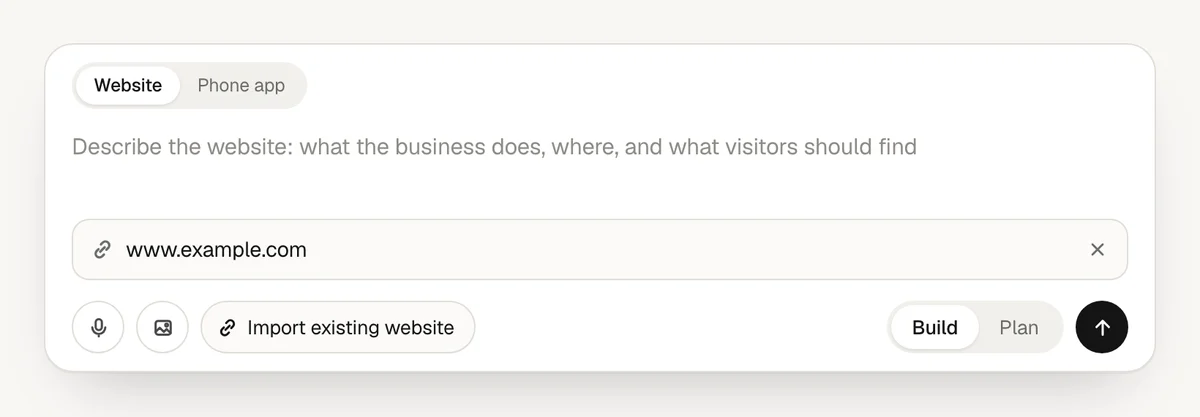
In the box on your dashboard, with Website chosen, click Import existing website and type or paste the address of your current website, like
www.mybusiness.com.If you like, write what should change in the field above it, for example “Keep our texts, make it calmer and add online booking.” Without that, frascati asks for a fresh design with the same content.
Send it. frascati reads the page and builds the new website, and you change it in the chat like any other.
You can also paste addresses into the chat of a project, in any message. There, write them in full, starting with https://.
What frascati reads
- The text of the page at the address, with its headings and lists, and the description it has for search engines. Scripts and styles are left out.
- Up to about 8,000 characters of each page. A longer page is cut off there.
- Up to 5 addresses in one message. frascati reads only the pages you name, not the pages they link to. For your services or your team, add the addresses of those pages too.
“Rebuild my website with a fresh design: https://www.mybusiness.com, https://www.mybusiness.com/services and https://www.mybusiness.com/team”
The facts frascati finds, like your services, prices and opening hours, go into the new website. What it does not find is never made up: it stays a [placeholder] that you fill in by chatting, or is left out.
What it does not take over
- The design. The new website gets a design of its own.
- Photos and your logo. frascati reads text only. Add your own photos and your logo with the image button, or frascati picks fitting photos.
- Forms, booking and the shop. They are built new: ask for them in the same message or later in the chat.
When a page gives nothing to read
Some pages come back empty:
- Pages whose text only appears after a script has run in the browser.
- Pages that do not answer within 12 seconds, or answer with an error.
- Files such as PDFs or pictures: only web pages are read.
- Pages behind a login.
frascati then has only your message to go on. Paste the text of those pages into the chat instead, or describe your business in a few sentences.
Plans and credits
Importing is part of Starter, Pro and Business, during the free trial too. The build is billed like any other, by what the AI used, and the text frascati read counts toward it. See Plans and credits.
Moving over from your old website
- Keep your old website online until the new one is published and you have checked it.
- To use your domain for the new website, connect it in the Publish window, with Pro and Business. Leave the MX records for your email as they are. See Connect your own domain.
- frascati sets up no forwarding from your old page addresses. On your own domain, an address the new website does not have is marked so that search engines leave it out.
Something missing or unclear? Write to us.