Templates and the showcase
A template is a finished website or app to start from. The showcase shows live websites made with frascati whose owners chose to show them.
Start from a template
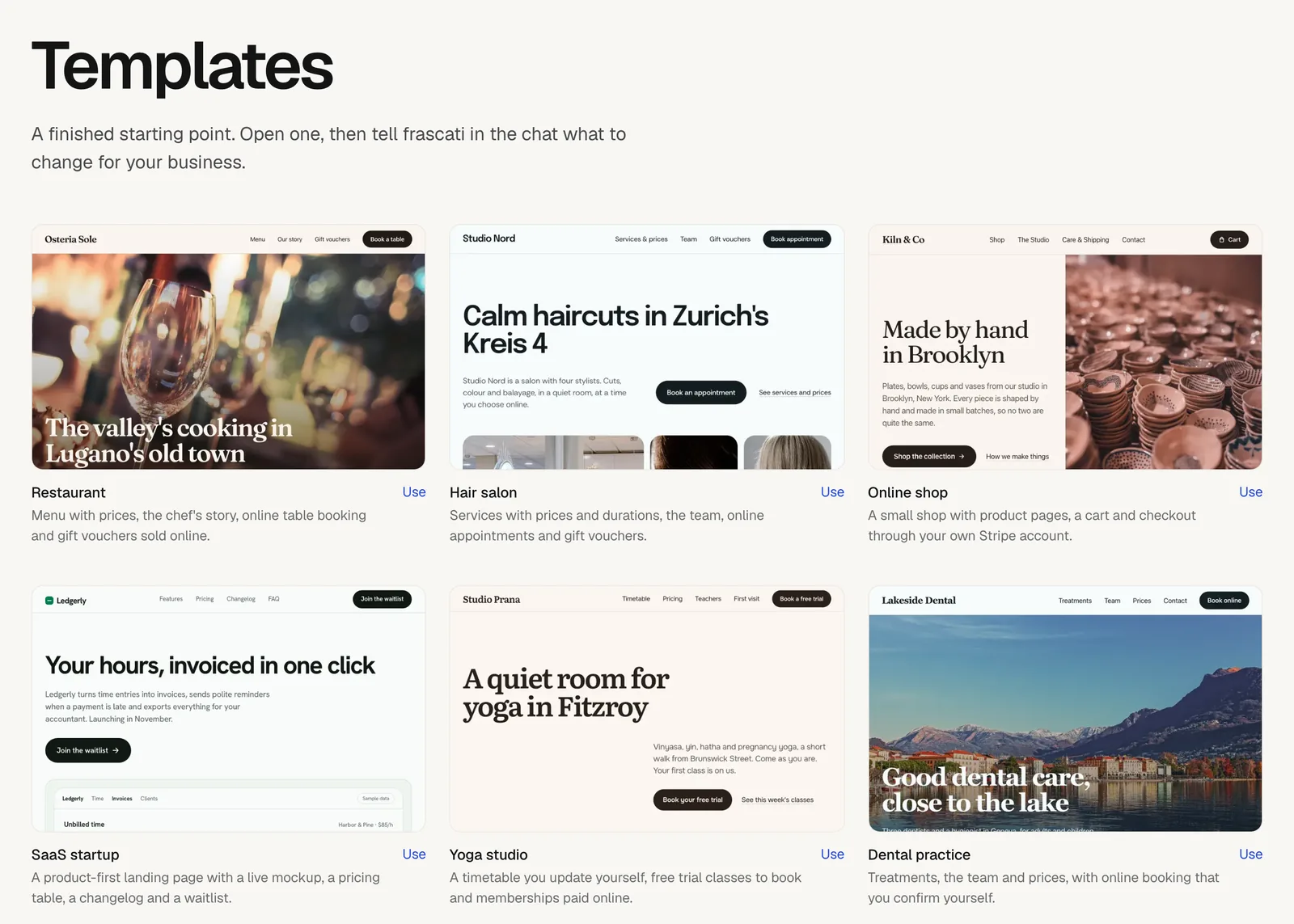
The templates page has 13 websites and 9 phone apps built with frascati, such as a restaurant with table booking, a hair salon with online appointments and a small online shop. Each one says what it includes.
Click Use under a template. It opens in the editor as your own project.
Tell frascati in the chat what to change, for example “Change the texts to my business” followed by what you offer.
Fill in the details only you know, like your email address or opening hours: until then they are [placeholders] in square brackets.
Opening a template uses no credits; the changes you ask for do. Without an account, Use leads to the sign-up first, and the template opens once your trial runs. A new account also finds four templates on its empty dashboard.
Templates from the community
Further down the templates page, From the community shows websites that people published and shared as templates. Sort them by Popular or Newest, or pick a category: Landing, Portfolio, Dashboard, Shop, Blog or Other. Each card shows the name of the account that shared it and how often it was used.
Use makes a copy for you called “Copy of” and the website's name: its pages, texts and design. The chat, the versions and what visitors sent, like form messages and bookings, stay with the original.
Share your website as a template
Publish your website.
In the Publish window, switch on Share as template and choose a category.
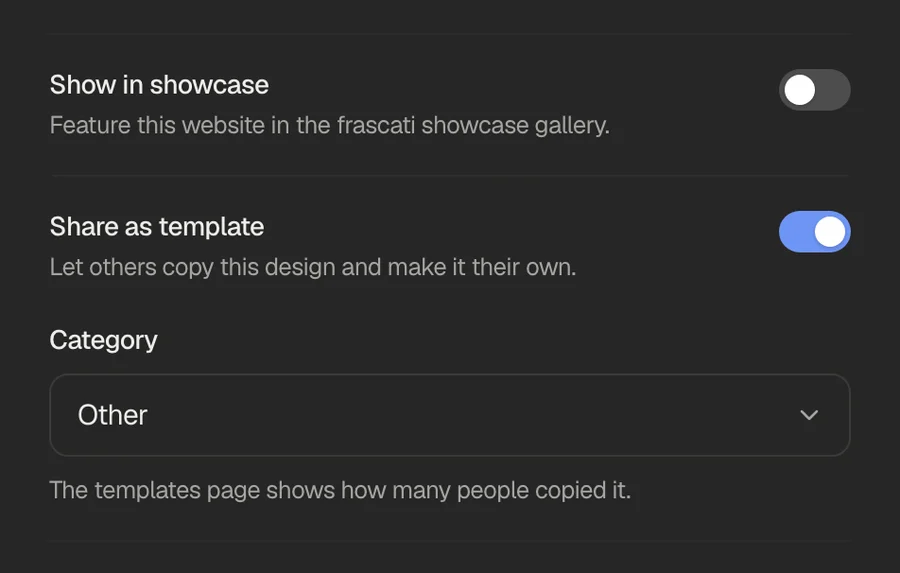
Your website then appears under From the community, with the name of your account, and anyone can copy its pages, texts and design. The templates page shows how many people copied it. Switch it off in the same place to take it off the page; copies made before stay with the people who made them.
Good to know
A copy contains everything on your website's pages, your texts and contact details included. Share a website as a template only if that is fine with you.
The showcase
frascati.app/showcase shows example websites that frascati built from a short description, each with that description, and under Published by the community live websites whose owners chose to show them there.
To show yours, switch on Show in showcase in the Publish window. The showcase lists up to 20 websites, the most visited first, each with a picture of it, its name and the name of your account, and links to your website. A website still called “My Project” is left out.
frascati also picks websites from the showcase for Sites made with frascati on its home page. A website stays there only while it is published and in the showcase, under the same address and name. Switch Show in showcase off, and it leaves the showcase and the home page right away.
Something missing or unclear? Write to us.