SEO for your website
The SEO view shows how search engines see your website and what to fix. After publishing, frascati also saves every page as finished HTML, so Google and AI search tools read all of it.
Open the SEO view
In the editor, click the magnifying glass (SEO) at the top, on a computer and on a phone. frascati opens each page of your website once, the way a visitor sees it, and checks it together with what is published. The check runs in your browser and uses no credits.
After changes, click Check again.
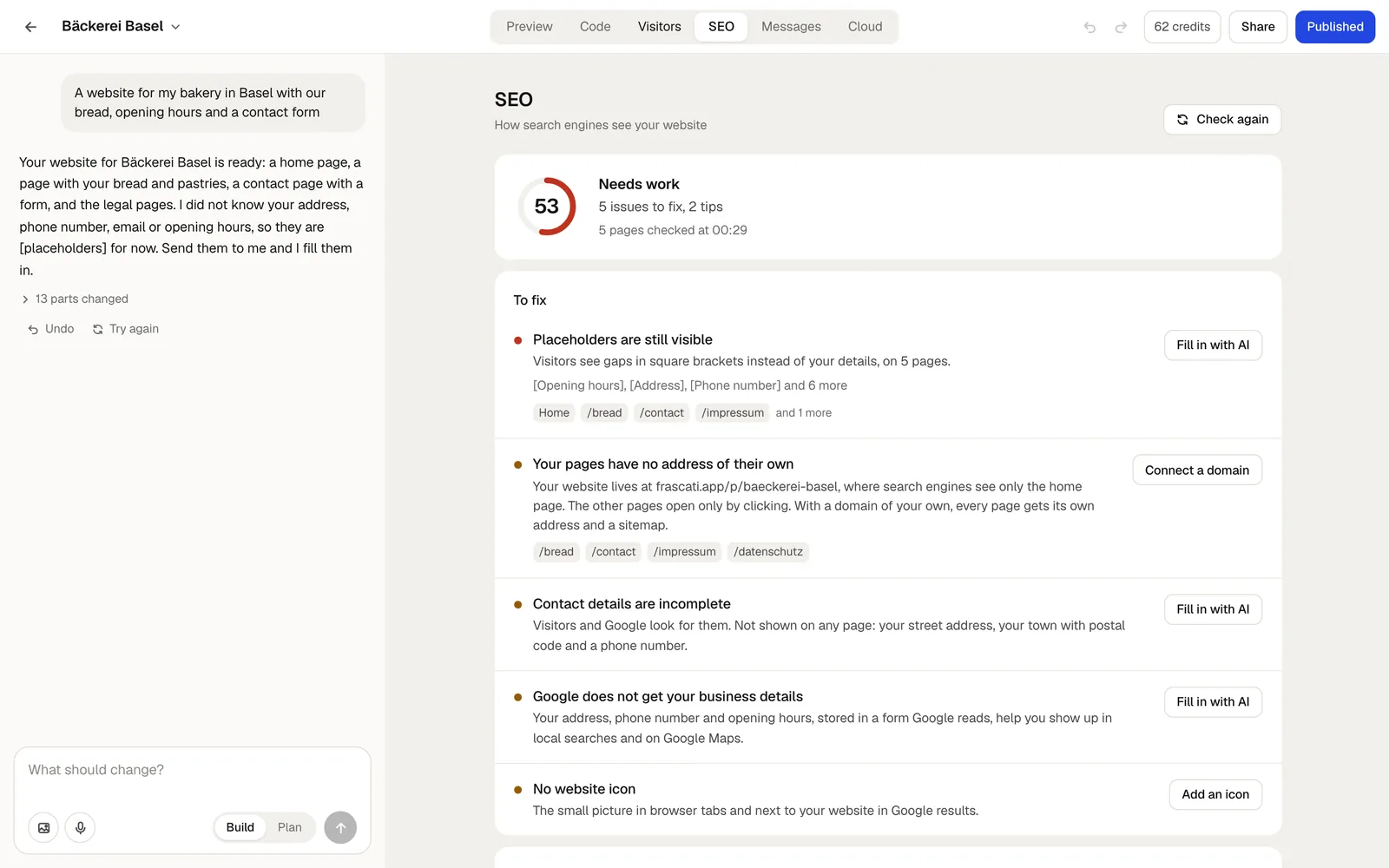
The score
The score runs from 0 to 100: from 85 it reads Good, from 60 Fair, and below that Needs work. Every finding takes points off, an important one more than a tip, and one kind of check never takes off more than a fifth of the score, however many pages it concerns.
Findings are listed under To fix and Tips. Checks passed lists what is already fine.
What it checks
- Published
- Search engines can only find your website once it is online.
- Titles
- Every page has a title of its own, of about 30 to 60 characters, and no two pages share one.
- Descriptions
- Every page has a description of about 70 to 160 characters, the text below the title in search results.
- No placeholders left
- No [placeholders] in square brackets on any page.
- Open to search engines
- Your website has a name or title of its own. One still called “My Project” counts as a test and stays out of search results.
- Every page opens
- No page stays empty because of an error.
- Links
- No link leads to a page or a part of a page that does not exist.
- Headings
- One main heading per page, and headings that go down one level at a time.
- Contact details
- For a business people visit: its name, street, postal code with town and a phone number appear on your website.
- Business details for Google
- Your address, phone number and opening hours, stored in a form Google reads for local searches and Google Maps.
- Image descriptions
- A short description of what each image shows, for search engines and for people who cannot see images.
- Icon and image for shared links
- The small picture in browser tabs and search results, and the image shown when someone shares your website. frascati makes both for you: the icon in your website's colors after it is built, and the image from its main photo, name and description. Your own replace them.
- Pages prepared for search engines
- The finished HTML of every published page, see below.
- Language
- The language your website is written in.
- Own domain
- Whether your website has a domain of its own, and whether it works.
Fix what it finds
Every finding comes with a button:
- Use this title, Use this description
- Saves the title or description the AI already wrote for your home page as your website's own, with one click.
- Add a title, Add an icon, Add an image
- Opens Title, description and icon, which you also find in the project menu.
- Fix with AI, Fill in with AI
- Puts a prepared request into the chat box. Read it, add what only you know, and send it. It is billed like any change.
- Publish, Publish again
- Opens the Publish window.
- Connect a domain
- Opens the domain settings in the Publish window.
Finished HTML for Google and AI search
A frascati website is put together in the browser by JavaScript. Google runs JavaScript, but many crawlers do not, among them those of ChatGPT, Claude and Perplexity. So after you publish, frascati saves a finished copy of every page as plain HTML.
Crawlers read that copy, with all the text, headings and links. Visitors see it at once while the website starts, and then the live website takes over in the same place, without a flash.
The copies are made in your browser in the background right after publishing, so leave the editor open for a moment. For a website published earlier, they are made the next time you open it in the editor. If pages are missing, the SEO view says so, and Publish again makes them.
Why a domain of your own helps
At the frascati address, search engines see only the home page of your website: the other pages open only by clicking. With a domain of your own, every page gets its own address, and your website gets its own sitemap, robots.txt and llms.txt.
On its own domain, your website also tells Bing about new pages right after publishing, which the web search of ChatGPT and Copilot builds on. Google finds them through the sitemap. Connect your own domain.
frascati.app's own sitemap lists published websites of paying accounts that have a title of their own.
Something missing or unclear? Write to us.