Build your first phone app
frascati builds apps for iPhone and Android from a description, the same way it builds websites. You see the app in an iPhone preview and on your own phone right away.
Describe the app
In the box on your dashboard, switch from Website to Phone app. Then write what your customers should be able to do in the app:
“An app for my café in Zurich with a stamp card, the menu and our opening hours”
Think of what people would open every week: booking a class, ordering ahead, collecting stamps.
frascati builds the screens, the texts and the navigation for it. As with websites, what it does not know about your business appears as a [placeholder] you fill in by chatting.
Pick a style
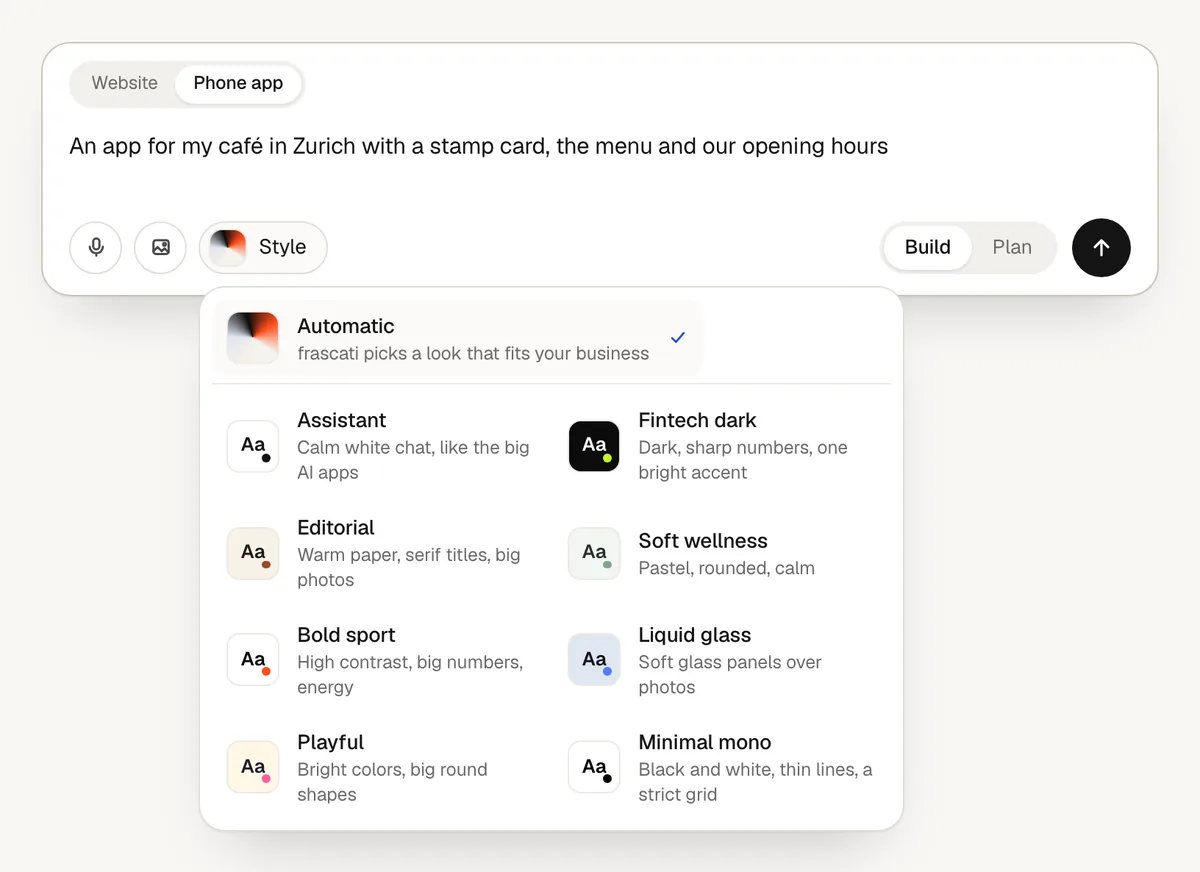
Before the first build, Style next to the box sets the look of the app: Assistant, Fintech dark, Editorial, Soft wellness, Bold sport, Liquid glass, Playful and Minimal mono. Or leave it on Automatic, and frascati picks a look that fits your business. The style stays for every later change.
Or start from a template
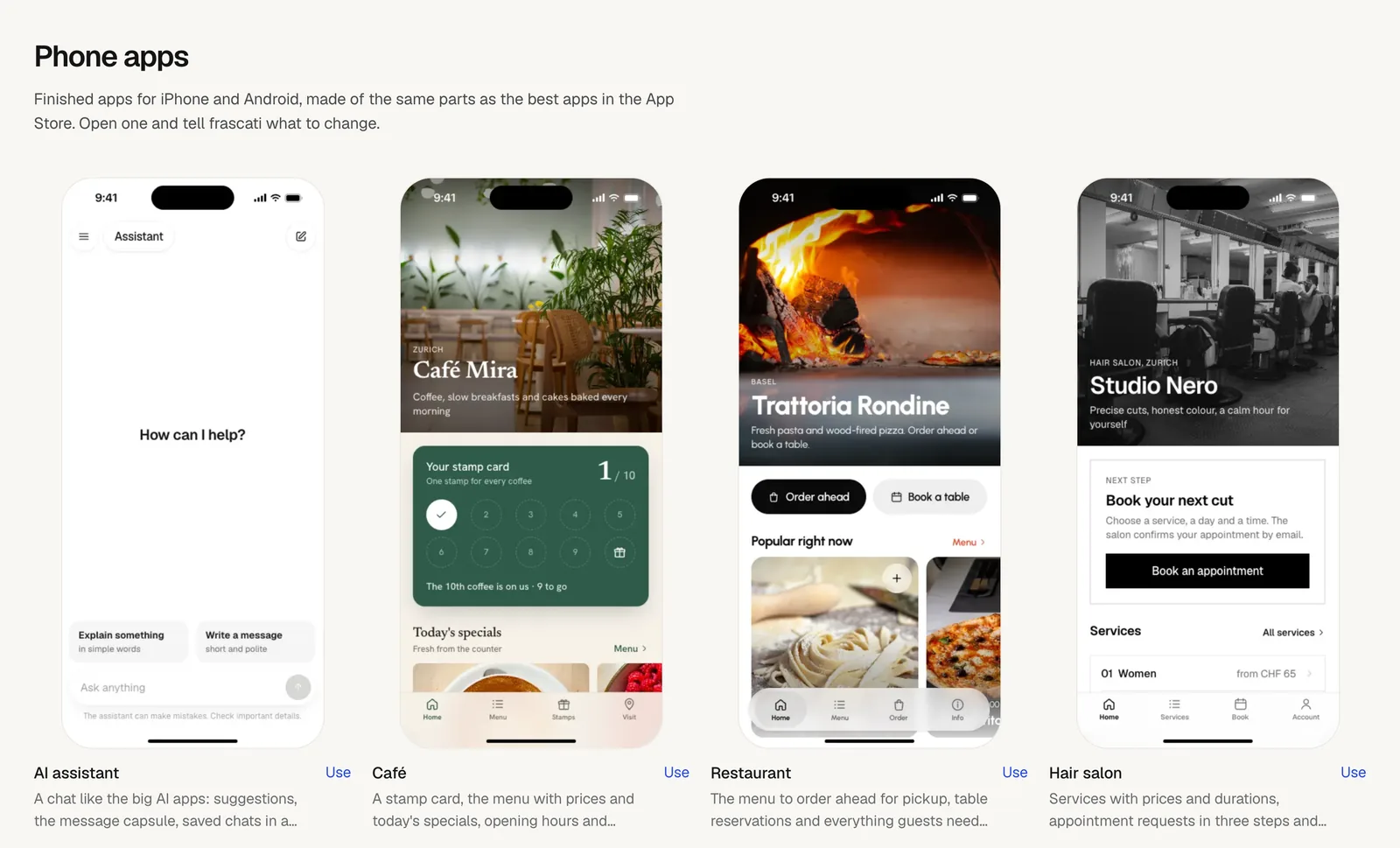
The templates page has 8 finished apps under Phone apps: AI assistant, Café, Restaurant, Hair salon, Yoga studio, Club or association, Design shop and Trades and services. Open one with Use and tell frascati what to change for your business.
Watch it being built
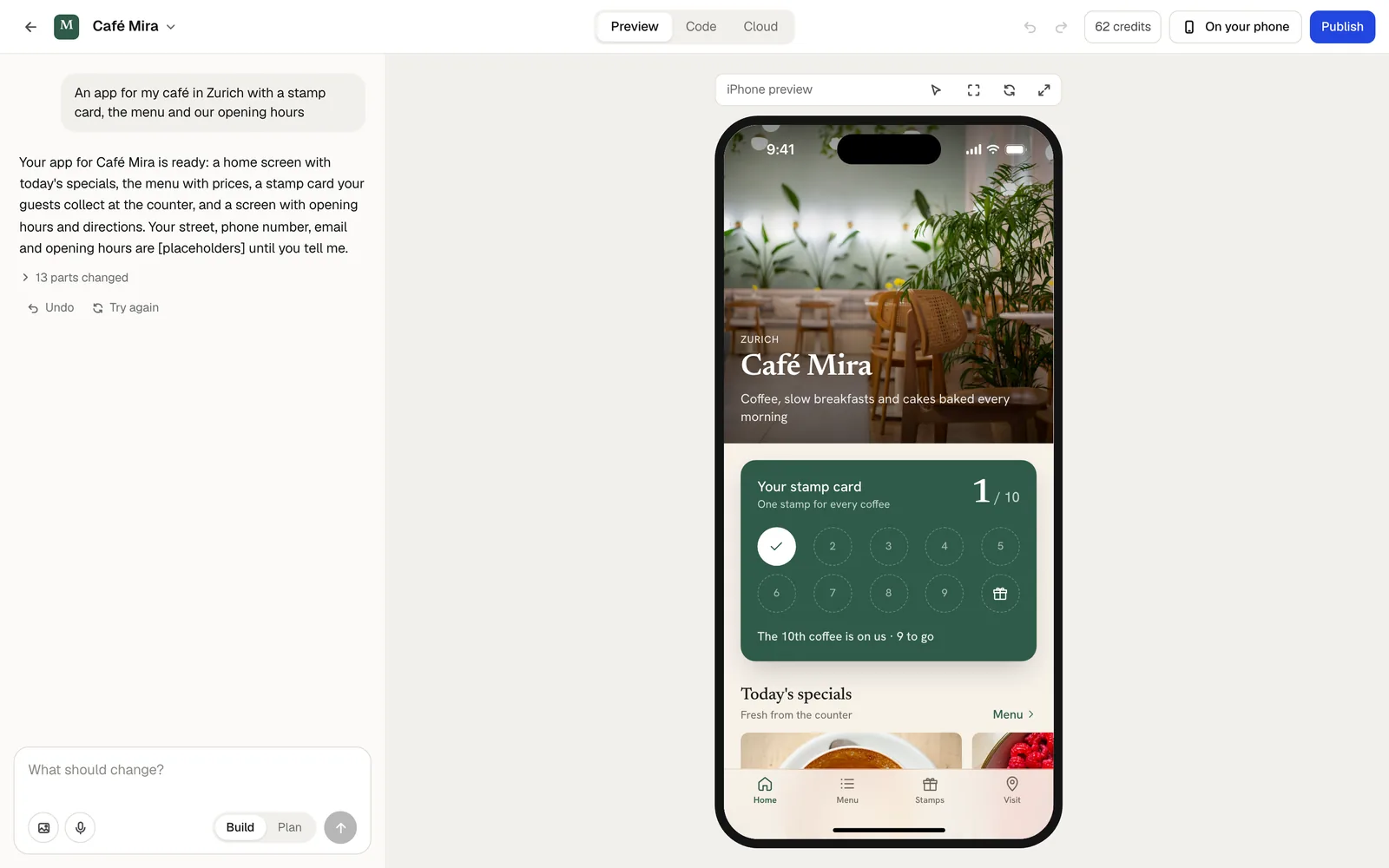
The app appears in an iPhone frame next to the chat. While frascati works, it checks every screen at the size of a real iPhone. Then it uses the app like a customer would, going through its screens, and fixes what it finds. The line above the preview says Testing like a customer meanwhile.
If a layout problem is left, a note below the preview names it, with Fix it next to it.
The design check after the first build
After the first build, the AI looks at the app's main screens like a designer and improves what it finds, once: empty areas, text that is cut off, photos that do not fit, buttons that look different from screen to screen. The line above the preview says Checking the design meanwhile.
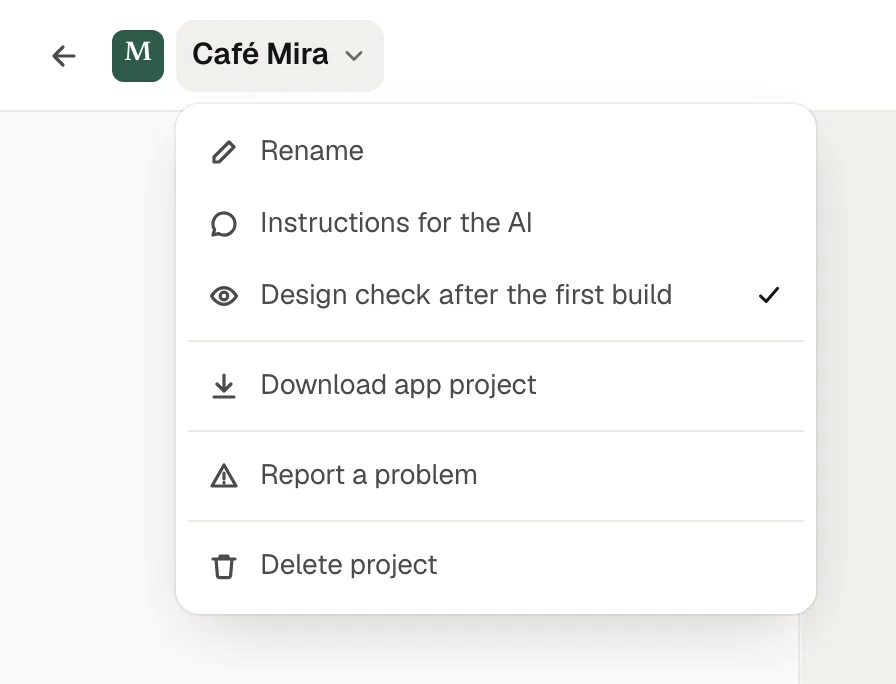
The check is billed from your credits like a change in the chat. To skip it, click the app's name at the top left and switch off Design check after the first build. The switch is saved in your browser.
Try it on your phone
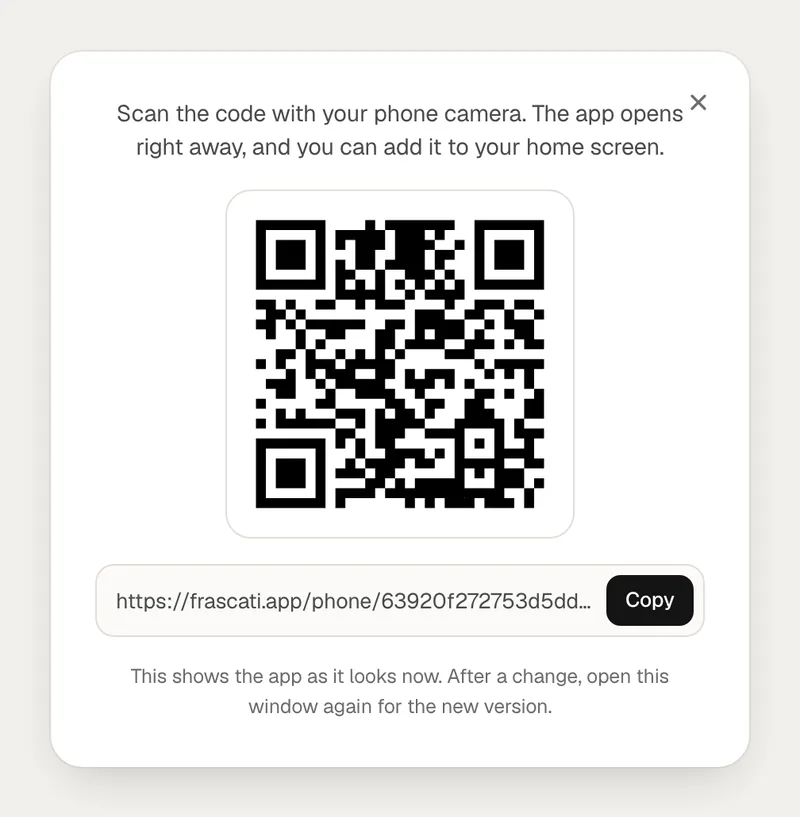
Click On your phone at the top of the editor.
Scan the QR code with your phone's camera. The app opens right away, and you can add it to your home screen.
After a change, open the window again to see the new version.
What an app can do
- Customer accounts
- People sign in with their email address and a code sent to it, and find their orders, bookings or stamps on every phone.
- Payments
- One-off purchases and memberships, paid through your own Stripe account. See Payments with Stripe.
- AI in the app
- A helper that knows your business. Its answers are paid from your credits, with a monthly limit you set in the Cloud tab.
- Cloud tables
- Content you update yourself, and entries people send from the app. See Cloud tables.
Not possible yet: push notifications, in-app purchases for digital content, maps inside the app, the camera, and signing in with Apple or Google.
Publish the app
The app goes into the App Store under your own name, from your own Apple developer account; Apple requires that. frascati builds, signs and uploads it for you. Every step is in Publish your app in the App Store.
For Google Play, or to build the app yourself, click the app's name at the top left and choose Download app project. The download explains both stores. Publishing in the App Store and downloading the app project are part of Pro and Business, from your first payment on.
Something missing or unclear? Write to us.